
How to add World Cup Widgets to your site
There is an easy way to add World Cup blocks to your site: using HTML World Cup widgets. Data providers like Statorium.com, offer ready World Cup API data packages, allow you to create ready-made HTML/JavaScript-based code that you can inject into any page or section.
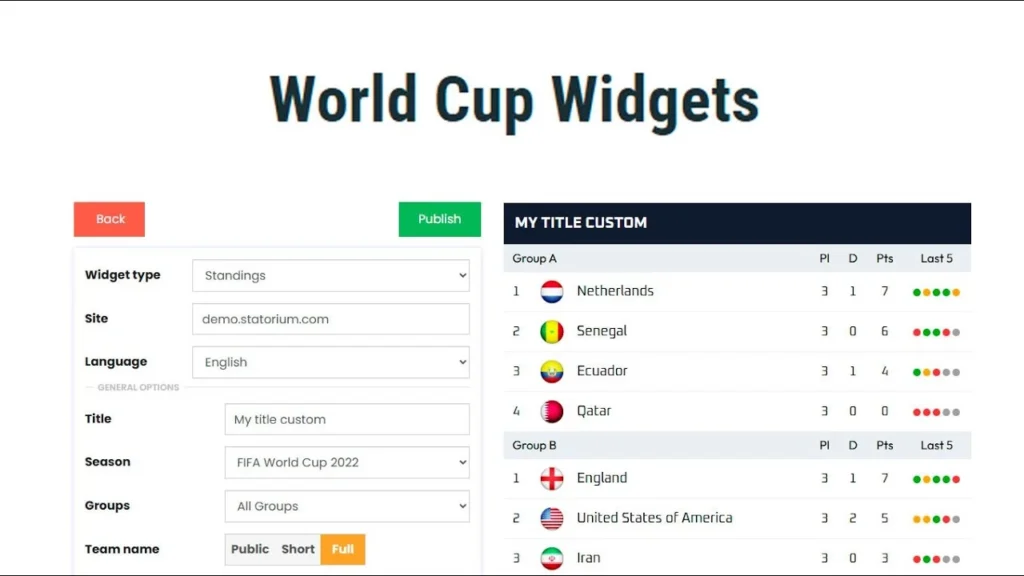
Here is a simple video tutorial showing you the steps.
Type of World Cup widgets included
There are four world cup widgets included:
- Standings (with a lot of flexible options and filters);
- Matches (to build results or fixtures lists);
- Top Players (to create blocks like World Cup top scorer, top yellow cards, top assists, etc.);
- Match Slider (to offer a horizontal slider of World Cup games).
There is also the Transfers widget available, but it is mostly applicable for leagues, not the World Cup event.
Are the World Cup widgets free?
The widgets come free with the Statorium World Cup data package. However, the data access costs $177 for the basic package and $499 for the premium.
Can I apply my own design?
Yes, you can define your own colors, fonts, font sizes, and overall style by using the template options. There are a lot of filters and options to change the way a widget is presented.
Can I have World Cup widget multilingual, e.g. in Spanish or German?
Yes, Statorium World Cup widgets are multilingual. All the columns, titles, and names are translated by the widget’s developer. You can also apply your own minor corrections in specific places. Team names are also translated to your language, however the player names stay English.
Frequently Asked Questions About World Cup Widgets
You receive four distinct widget types: a Standings widget with many flexible filters and options; a Matches widget for building result or fixture lists; a Top Players widget (top scorer, yellow cards, assists, etc.); and a Match Slider widget that displays games in a horizontal sliding format. A Transfers widget is also available, though it works better for leagues than for the World Cup event.
The widgets themselves are included at no extra charge when you buy a Statorium World Cup data package. However, accessing the data costs $177 for the basic package or $499 for the premium option.
Absolutely. You can set your own colors, fonts, font sizes, and overall appearance using the template options. Numerous filters and settings let you adjust how each widget is displayed.
Yes, Statorium’s World Cup widgets support multiple languages. The widget developer handles translations for all columns, titles, and names. You can also make minor custom corrections in certain places. Team names adapt to your chosen language, though player names remain in English.
You receive four distinct widget types: a Standings widget with many flexible filters and options; a Matches widget for building result or fixture lists; a Top Players widget (top scorer, yellow cards, assists, etc.); and a Match Slider widget that displays games in a horizontal sliding format. A Transfers widget is also available, though it works better for leagues than for the World Cup event.
The widgets themselves are included at no extra charge when you buy a Statorium World Cup data package. However, accessing the data costs $177 for the basic package or $499 for the premium option.
Absolutely. You can set your own colors, fonts, font sizes, and overall appearance using the template options. Numerous filters and settings let you adjust how each widget is displayed.
Yes, Statorium’s World Cup widgets support multiple languages. The widget developer handles translations for all columns, titles, and names. You can also make minor custom corrections in certain places. Team names adapt to your chosen language, though player names remain in English.

Author: Dmitry Martinkevich
Dmitry Martinkevich is the co-founder and product manager of the BearDev team.